How to make a product video for TikTok from photos
Guide · October 2026
You don’t need video footage to make a TikTok product video. Good photos, a little movement, a voice and captions are enough for a 15-second ad. This is how most small shops get started.
What you need
- 4–6 vertical photos of the product
- A 15-second script (template below)
- A voice: yours, a friend’s, or a text-to-speech voice
- Optional: a logo and the price
The shot list
- In context: the product where it lives. Mug on a desk, lamp on a nightstand.
- The detail: a close-up of the one thing you’ll talk about (texture, a button, the label).
- In a hand: shows the size better than any spec.
- In use: pouring, wearing, switching on.
- Clean shot: plain background for the last frame with the price.
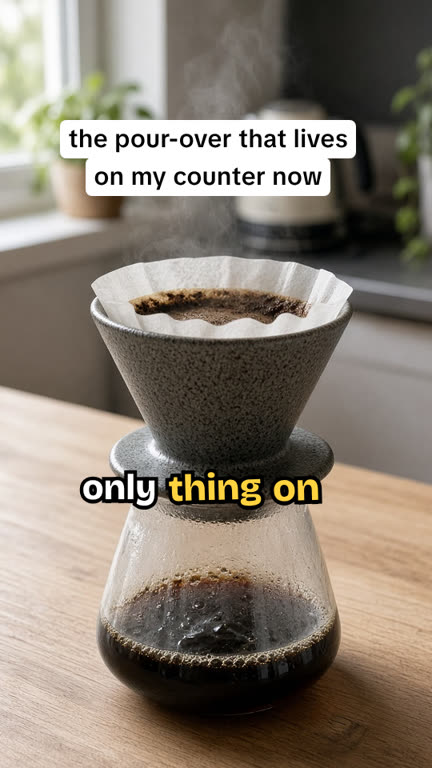
Daylight from a window, phone camera, no filters. It should look like someone’s home, not a catalog.
A 15-second script that works for most products
| Seconds | Voice | On screen |
|---|---|---|
| 0–2 | “Everyone who comes over asks where I got this.” | the thing everyone asks about |
| 2–6 | “It’s stoneware, so it holds heat the whole pour.” | holds heat |
| 6–11 | “Two cups at a time, and it fits right on the mug.” | 2 cups |
| 11–15 | “Forty-eight dollars. Link in bio.” | $48 · link in bio |
(The product in that example is made up. Swap in yours.)
Turning photos into video
- Movement: a slow zoom or pan on each photo. Static photos read as a slideshow.
- Timing: cut on the voice. Each photo stays up for the line about it.
- Captions: word by word, centered, big. Pick one font and stick to it.
- Text box on top: the hook, in a TikTok-style white box, so it works on mute.
- Safe zone: nothing important in the bottom ~20% or along the right edge.
Sizes
| Where | Size |
|---|---|
| TikTok, Reels, Shorts | 9:16 · 1080×1920 |
| Instagram / Facebook feed | 4:5 · 1080×1350 |
| Square placements | 1:1 · 1080×1080 |
Before you post
- If the voice is AI-generated, label it (TikTok’s “AI-generated content” setting).
- Don’t present it as a customer review if it isn’t one. Fake reviews are illegal in the US (FTC, 16 CFR Part 465).
- If you promote your own product, use TikTok’s content disclosure toggle.
The faster way
All of the above can be done by hand in a free editor. If you’d rather fill in a form, that’s what UGC Reel Kit is: pick a product template (product showcase, benefit stack or review card), add your photos, type the lines, and it handles the movement, word-by-word captions, text boxes and voice. It exports 9:16, 4:5 or 1:1 as an MP4, rendered in your browser.
$24 once, no monthly fee, no watermark. You bring the photos; music and stock footage aren’t included.
The short version: UGC Reel Kit is a form in your browser. Add photos or screen recordings, type what the voice should say, pick a template, export an MP4. It costs $24 once (no monthly fee, no watermark, 14-day refund).
See pricingMore guides
How to make UGC ads for freeHow to make an app promo video from screen recordings